

Alarmy v26.24.1 MOD APK (Premium Unlocked)
By Sleep Tracker & Alarm Clock
Alarmy MOD APK, Wake up guaranteed with the alarm clock that forces you to actually get out of bed. Premium, photo and barcode challenges and never oversleep again.
Version
26.24.1
Updated
Jun 21
Requirements
7.0+
Published By
Sleep Tracker & Alarm Clock
Category
tools
Size
120 MB
Platform
Android
Get From
Google Play Store
Screenshots

MOD Info
Description
Introduction
Most alarm apps fail at their one job because snoozing requires nothing more than a lazy tap before falling back asleep. Alarmy solves this through forced physical or mental tasks that genuinely require you to be awake and moving before the alarm stops. The MOD APK version unlocks every premium mission type and customization option, giving you complete control over how aggressively the app forces you out of bed each morning.
The Problem With Standard Alarms
Conventional alarms assume hearing a sound translates into actually waking up, which ignores how easily half asleep brains dismiss noise without genuine consciousness kicking in. The snooze button compounds this problem by offering an easy escape that requires zero cognitive engagement, letting you drift back to sleep within seconds of silencing the alarm.
This pattern repeats indefinitely for chronic oversleepers, sometimes resulting in dismissing alarms entirely without any memory of doing so the next morning. Breaking this cycle requires something that demands actual physical movement or mental engagement rather than a simple tap dismissal.
How Alarmy Forces Genuine Wake Up
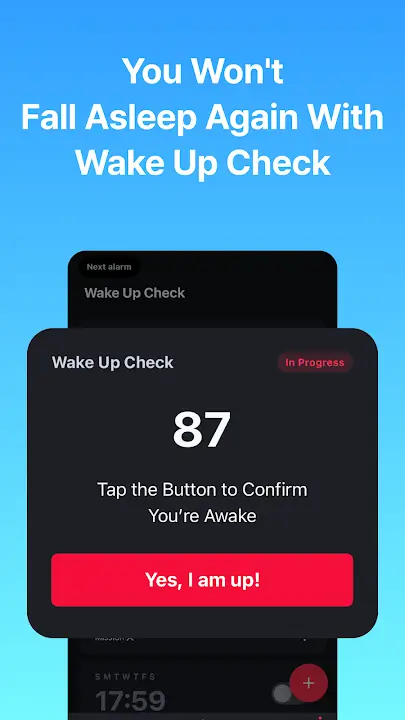
The app requires completing specific tasks before the alarm sound stops, removing the option to mindlessly dismiss it while still half asleep. Photo missions require taking a picture of a predetermined location, like your bathroom mirror or kitchen, meaning you physically have to walk there before the alarm silences. This forces enough movement that genuine wakefulness typically follows.
Barcode missions work similarly but require scanning a specific product barcode, like your toothpaste or a cereal box, which you set up the night before. The randomized task selection prevents predictable routines from becoming automatic enough to complete while still mostly asleep.
MOD APK Features
The standard version restricts certain mission types and customization options behind premium purchases. The MOD APK provides complete functionality:
- All wake up mission types unlocked including photo, barcode, math, and shake challenges
- Unlimited alarm customization without restriction
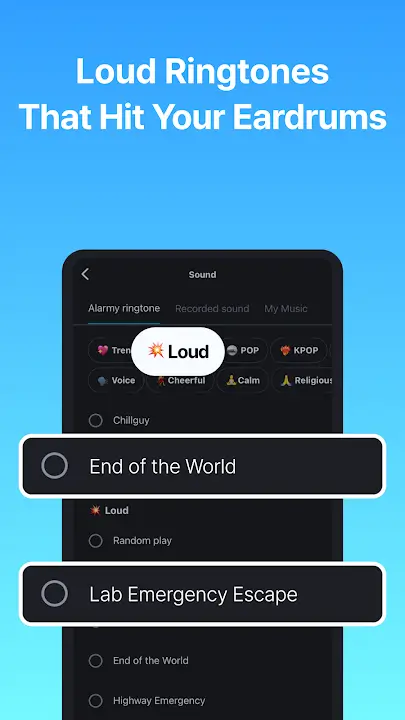
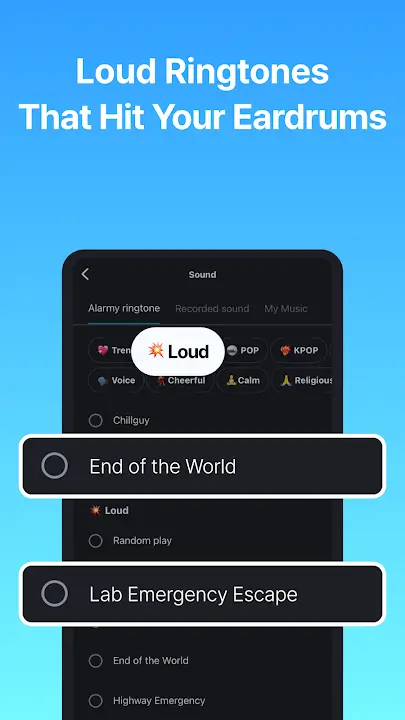
- Premium sound library accessible without additional purchases
- Sleep tracking features fully available
- No advertisements interrupting the alarm experience
- Custom mission difficulty settings unlocked completely
Mission Types and Their Effectiveness
Math problems require solving equations of adjustable difficulty before dismissing the alarm, engaging logical thinking that genuinely requires cognitive function beyond automatic muscle memory. Shake missions demand physically shaking your device a set number of times, forcing physical movement that naturally increases alertness.
Memory game missions add pattern matching challenges that specifically target the kind of cognitive engagement difficult to perform while still drowsy. Combining multiple mission types across different alarms prevents your brain from developing automatic responses to any single challenge type.
Setting Up an Effective Wake Up Routine
The most effective approach involves placing your phone somewhere requiring actual movement to reach, rather than keeping it within arm's reach of your bed. A photo mission targeting your bathroom or kitchen forces you out of bed entirely rather than allowing task completion from a half conscious horizontal position.
Gradually increasing mission difficulty over time prevents your brain from automating responses to familiar challenges. What initially requires genuine attention can become routine after weeks of repetition, so periodically changing mission types or locations maintains effectiveness.
Tips for Breaking Oversleeping Habits
Place your charging location away from your bed deliberately. This single change forces physical movement just to silence the initial alarm sound, before any mission requirements even begin.
Start with simpler missions if you are new to forced wake up apps, then gradually increase complexity. Jumping immediately to difficult challenges while still adjusting to the concept can create frustration that leads to abandoning the system entirely.
Combine multiple alarms with different mission types rather than relying on a single morning alarm. This prevents your brain from anticipating and automating responses to one specific challenge.
Use the photo mission with locations that require walking through your home rather than locations within your bedroom. Greater distance traveled increases the wakefulness achieved by the time you complete the task.
Review your sleep tracking data periodically to understand your actual sleep patterns rather than assumptions about your sleep quality. This data often reveals patterns explaining persistent oversleeping issues.
Avoid placing your phone somewhere requiring you to walk near comfortable seating or your bed during the mission. Routes that pass tempting places to sit back down undermine the entire purpose of forced movement.
Sleep Tracking and Pattern Analysis
Beyond just waking you up, Alarmy includes sleep tracking that monitors movement throughout the night, providing insight into sleep quality and patterns over time. This data helps identify whether oversleeping stems from poor sleep quality requiring separate intervention, or simply habitual snoozing behavior that the forced wake up missions directly address.
Common Issues and Solutions
If photo missions fail to recognize your designated location correctly, retaking the reference photo in similar lighting conditions to when you typically wake up usually resolves recognition accuracy problems.
Alarm sounds not playing at full volume despite correct settings are often caused by device specific media volume settings overriding the app's alarm volume configuration, requiring adjustment in your device's general sound settings.
If barcode missions consistently fail to scan, ensuring adequate lighting and holding the device steady during scanning attempts typically resolves recognition issues.
Battery optimization settings on certain Android devices can prevent alarms from triggering reliably. Adding Alarmy to your device's battery optimization exceptions list prevents this interference.
FAQ
Will Alarmy work if my phone is on silent mode? The app typically overrides silent mode settings to ensure alarms function, though specific behavior can vary based on individual device settings and manufacturer restrictions.
Can I use Alarmy without completing wake up missions every single day? Yes, missions can be disabled for specific alarms if you prefer traditional dismissal methods for certain mornings, like weekends.
Does Alarmy drain battery significantly overnight? The app uses minimal background resources for sleep tracking, though leaving your screen brightness high overnight for any reason will impact battery regardless of the specific app being used.
How difficult are the math mission challenges? Difficulty is fully adjustable from simple single digit problems to complex multi step equations, allowing you to match challenge level to your personal needs.
Can Alarmy help with shift work or irregular sleep schedules? Yes, the customizable alarm system accommodates non traditional schedules, and the forced wake up missions remain effective regardless of what time you actually need to wake up.
Is the photo mission location saved permanently or can it be changed? Locations can be changed at any time by retaking a new reference photo, allowing flexibility if your routine or living situation changes.
Conclusion
Alarmy succeeds where traditional alarms fail by removing the easy escape route that makes snoozing so effortless. The forced engagement through photo, barcode, math, or shake missions ensures genuine wakefulness rather than the illusion of waking up that standard alarms provide. The MOD APK unlocks every mission type and customization option without premium restrictions, giving you complete flexibility to build a wake up system specifically suited to breaking your particular oversleeping patterns.
How to Install
1Download the APK file using the link above.
2Enable "Unknown Sources" in your device settings.
3Locate the file and click "Install".
4Enjoy the premium features for free!
Frequently Asked Questions
Is this MOD APK safe?
Yes, all files on our platform are scaned with premium antivirus software and manually verified before being uploaded.
How do I update the app?
To update, simply download the latest version from this page and install it over the old version.
Does it require root access?
Most of our MODs work on non-rooted devices unless specifically mentioned in the MOD Info section.
Ready to Experience?
Download the latest version of Alarmy MOD APK. Fast, secure, and verified.
Related Apps
See allWas this MOD helpful?
Your feedback helps thousands of users access safe and working modifications daily!
Comments (0)
Leave a Comment
Synchronizing discussion...